
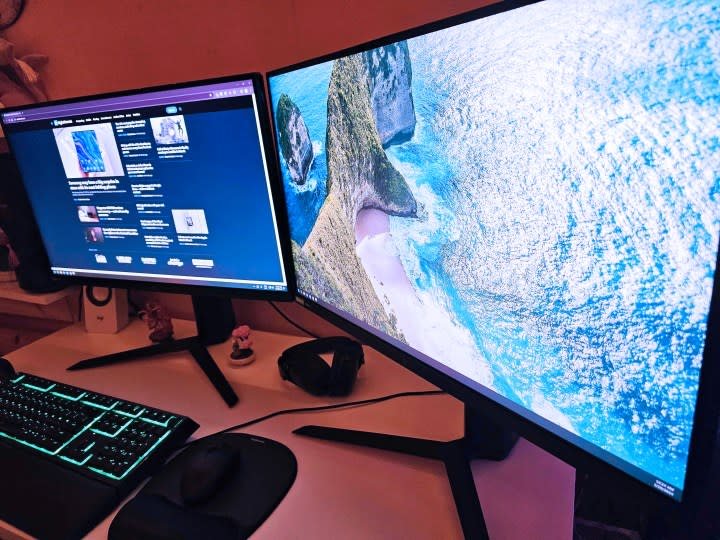
Look, let’s be real for a second. We’ve all been there. You’re sitting in a remote meeting that definitely could have been an email. Or maybe you’re grinding through a massive spreadsheet, watching a slow-paced documentary, or just waiting for a render to finish. Your brain needs just a little bit more stimulation to keep from shutting down completely.
This is where background gaming comes in. It’s not about ignoring your work or responsibilities; it’s about managing your attention span. It’s the fidget spinner for the digital age. I’ve spent years perfecting the delicate balance of productivity and progression, and I’m going to break down exactly what works, what doesn’t, and how to keep your virtual empire running while you get stuff done in the real world.
Defining the “Background” Experience
Not every game works for this. You cannot play Call of Duty while listening to a podcast about economics. It just doesn’t work. Your brain can’t handle two high-intensity inputs at once. The sweet spot for a background game is something that respects your time but doesn’t demand your constant focus.
We are looking for games that fit specific criteria. They need to be pauseable, turn-based, or low-stakes. If looking away for thirty seconds means you die and lose progress, it’s a bad background game.
The Three Pillars of Multitasking Gaming
When I hunt for a new “second monitor” game, I look for three specific things. If a game misses these, it usually ends up getting closed within ten minutes.
- Self-Pacing: Can I walk away instantly? If the doorbell rings or my boss pings me on Slack, I need to be able to drop the mouse without hitting a pause menu.
- Low Audio Dependency: Can I play this on mute? Sound cues are great for immersion, but terrible when you’re trying to listen to something else.
- Windowed Mode Support: This sounds technical, but it’s huge. The game needs to play nicely in a small window, not force itself into full-screen mode and crash when I alt-tab to a spreadsheet.
Comparison: Active vs. Passive Gaming
To help you understand the difference, here is a breakdown of game types and how much “brain juice” they actually consume.
| Game Type | Attention Required | Pause-Ability | Suitability for Work |
| Competitive Shooters | 100% (High) | None (Online) | Terrible. Do not do this. |
| Action RPGs (Souls-like) | 90% (High) | Poor (Can die easily) | Bad. Too stressful. |
| Turn-Based Strategy | 30% (Variable) | Perfect (Wait for you) | Excellent. Take a turn, type a sentence. |
| Idle / Clicker Games | 5% (Very Low) | Runs itself | The Gold Standard. |
| MMO Skilling | 20% (Low) | Good (Long animations) | Great. Fishing/Woodcutting is zen. |
The Best Genres for Keeping Busy
I have categorized the best genres based on how you are trying to multitask. Different tasks require different games. If you are watching a movie, you can handle a bit more reading. If you are in a meeting, you need zero reading.
The “Numbers Go Up” Idle Games
This is the most obvious category. Idle games, or “clickers,” are designed to play themselves. You set up some automation, buy some upgrades, and watch the numbers climb.
- Why they work: They require almost zero input after the setup phase. You check in every 20 minutes to spend your cash.
- The downside: They can feel pointless after a while. You aren’t really “playing,” you are just managing a spreadsheet with graphics.
- My Pick: Cookie Clicker or Melvor Idle. Melvor is basically RuneScape without the graphics. It’s purely menu-based, making it look suspiciously like work if someone glances at your screen.
Turn-Based Strategy (The “One More Turn” Trap)
Games like Civilization VI or XCOM are fantastic because nothing happens until you say so. The game world freezes until you click “End Turn.”
- Why they work: You have total control. You can stare at the screen for 10 minutes thinking about your move, or you can alt-tab away to write an email. The game waits for you.
- The downside: They can be too engaging. We have all suffered from “One More Turn” syndrome, where you suddenly realize it’s 3 AM. You need discipline here.
MMO Grinding (The Second Job)
Old School RuneScape (OSRS) is the king here. There are activities in MMOs that are repetitive by design. Chopping a tree, fishing, or mining usually involves clicking a resource node and waiting 30 seconds.
- Why they work: It keeps your hands busy. It satisfies that part of your brain that wants to see a progress bar fill up.
- The downside: It requires a subscription fee, usually, and it can be a massive time sink.
Setup and Technical Considerations
You can’t just launch a game and hope for the best. You need to optimize your PC setup, so your work (or your movie) doesn’t suffer. If your fans are sounding like a jet engine during a Zoom call, you have a problem.
Managing System Resources
Modern games are heavy. Even simple ones can eat up your RAM. If you are running Chrome with 50 tabs open (which eats memory) and a game, your computer might crawl.
How to optimize for multitasking:
- Cap the Framerate: Go into the game settings. Limit the FPS to 30 or even lower for background windows. There is no reason to render a static menu at 144 frames per second. It just heats up your GPU.
- Borderless Windowed Mode: Always use this. Fullscreen mode often minimizes the game completely when you click on a different screen. Borderless keeps it visible so you can monitor progress.
- Mute Game Audio: Do this in the game settings, not Windows. Sometimes Windows volume mixer resets. Just kill the music and sound effects in the game menu.
Dual Monitor vs. Single Ultrawide
This is a hot debate, but for multitasking, I have a strong opinion.
Dual Monitors are superior for this. You can have “Business” on the left and “Party” on the right. It creates a physical separation of tasks.
Ultrawide Monitors are cleaner, but window management is a pain. You have to constantly resize windows to stop them from overlapping. Unless you use fancy software to snap windows into zones, stick to two screens.
Browser Games vs. Downloadable Clients
Not everyone can install Steam on their work laptop (and you probably shouldn’t). This is where browser games shine. They leave no trace on the hard drive and can be closed instantly with Ctrl + W.
Comparison: Browser vs. Native Client
| Feature | Browser Games | Downloaded Games (Steam/Epic) |
| Stealth Factor | High. Looks like a webpage. | Low. Clearly a game app. |
| Performance | Lower quality, fewer features. | High fidelity, better saves. |
| Access | Instant, play anywhere. | Requires install time. |
| Save Data | Browser cache (can be lost). | Cloud saves (secure). |
If you are looking for a place to find weird, fun, and casual browser games that don’t require a 50GB download, check out WackyGame. It’s a solid spot to find quick distractions that you can drop in and out of without committing your life to a new RPG.
When You Should Absolutely NOT Multitask
I love gaming in the background, but there are times you need to cut it out. I learned this the hard way.
The Mental Load Threshold
Your brain has a limit on “cognitive load.” If you are doing data entry, your brain is on autopilot. You can play a game. If you are writing a complex report or learning a new skill, your brain is at 100% usage.
If you try to game during high-focus work, two things happen:
- The Quality Drops: Your work will be riddled with errors.
- The Gaming Sucks: You won’t enjoy the game because you are stressed about work.
Pros and Cons of The Habit
Before you dive in, let’s weigh if this lifestyle is for you.
Pros:
- Reduces Boredom: Makes tedious tasks (like waiting for downloads) bearable.
- Keeps You Awake: Interactive elements keep your brain from falling into a stupor.
- Continuous Progression: You make progress in your game without dedicating your evenings to it.
Cons:
- Context Switching: Constant switching between tasks drains mental energy faster than focusing on one thing.
- Risk of Addiction: It blurs the line between work time and play time.
- Hardware Strain: Running a game 24/7, even a light one, puts wear and tear on your PC components.
Troubleshooting Your Setup
Things go wrong. Here is how to fix the most common annoyances when trying to game and work.
“My Mouse keeps flying out of the game window.”
This usually happens in games that don’t lock the cursor.
- Fix: Look for an option called “Confine Mouse to Window” in the settings. If that doesn’t exist, you usually just have to live with it or play turn-based games where mouse precision doesn’t matter.
“The game minimizes when I click my email.”
- Fix: As mentioned before, you are likely in “Fullscreen” mode. Switch to “Windowed” or “Borderless Windowed.” If the game is old and doesn’t support this, there are third-party tools like ‘DxWnd’ that force games into Windows.
“My boss walked in!”
- Fix: The “Boss Key” is an ancient concept, but Windows Key + D minimizes everything and shows the desktop. A better strategy is to just have a full-screen spreadsheet open on a different virtual desktop. Use Ctrl + Windows Key + Left/Right Arrow to swap desktops instantly. It looks way smoother than minimizing windows frantically.
Frequently Asked Questions (FAQs)
1. Can background gaming actually improve productivity?
Surprisingly, yes. For people with ADHD or restless minds, having a low-level background activity (like clicking a resource node) can occupy the “distracted” part of the brain, allowing the rest of the brain to focus on the main task. It’s the same logic as doodling while listening to a lecture.
2. Will running a game in the background slow down my work computer?
It depends on the game and the computer. If you have a modern machine with 16GB of RAM or more, you can easily run a browser game or a light 2D game without noticing. If you try to run Cyberpunk 2077 in the background, your PC will scream. Always check your Task Manager (Ctrl + Shift + Esc) to see if your CPU or Memory is maxing out.
3. What is the absolute best genre for playing during meetings?
Turn-based card games or roguelikes (like Slay the Spire). You can look at your hand, plan your move, and then wait. If you have to speak in the meeting, you just don’t click anything. The game will wait forever.
4. Is it safe to play browser games on a company VPN?
I would be careful here. IT departments can log web traffic. If they see you are on a gaming site for 4 hours a day, that’s a red flag. If you are on a strict corporate device, stick to offline games on your phone or bring a personal laptop for the side activity.
Conclusion
Background gaming is a skill. It’s about finding that perfect rhythm where the game enhances your day rather than distracting from it. It stops the burnout of staring at a blank document and gives you small, consistent dopamine hits that keep you moving forward.
The key is respect—respect for your work, and respect for your hardware. Choose games that are low-impact, turn-based, or idle. Optimize your settings so your computer doesn’t melt. And most importantly, know when to close the window and actually focus. Now, if you’ll excuse me, I have a virtual farm that needs harvesting before my next conference call.